
Get answers and take action in your LMS

Works on any major LMS. Reads any approved source.
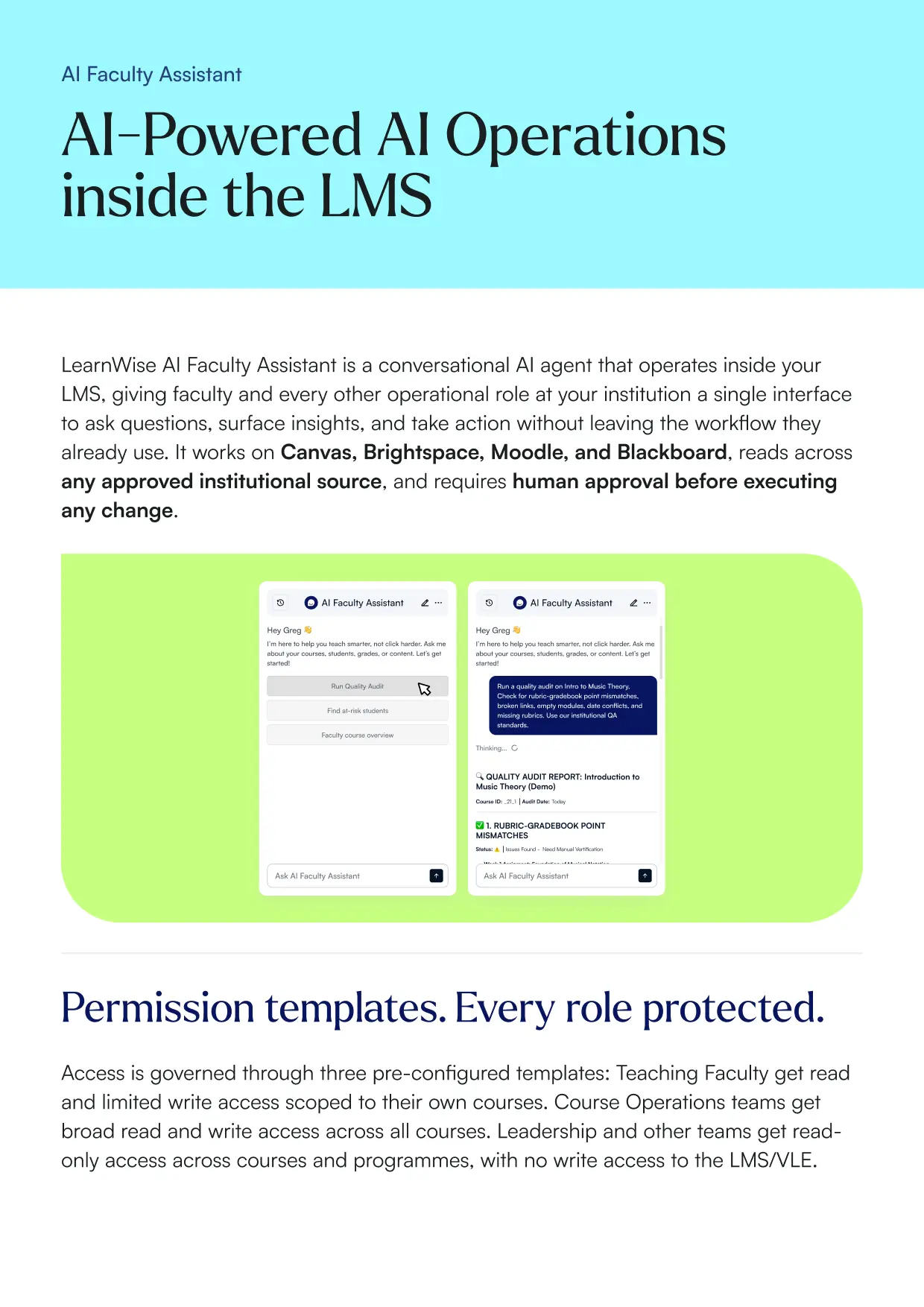
Ask a question or give an instruction. Both work.
Every action requires your approval. Every action is logged.
The more your institution uses it, the more it sees.
Download the whitepaper

Built for every role at your institution


.png)

.png)

on demand.
.png)

.png)

crisis mode.
.png)
Real impact. Measurable difference.


Seamlessly integrated with your LMS/VLE
Add an enterprise-grade AI layer to your Learning Management System.




Frequently asked questions


Yes. LearnWise Faculty Assistant works natively with Brightspace, Canvas, Moodle, and Blackboard. No new systems to learn, no workflow to rebuild.
No. Every write action requires explicit human approval before it executes. The agent shows you exactly what it intends to do and waits for your confirmation. Every action is logged with user, timestamp, and detail.
The agent reads from any approved and connected institutional source — your LMS, SIS, HR systems, accreditation frameworks, uploaded QA standards, and external content repositories. You control exactly what it can access through permission template configuration.
Yes. Data stays within your institutional environment. LearnWise is FERPA, SOC 2 Type II, ISO 27001, and GDPR compliant. No institutional data is used to train AI models.
Approximately 30 minutes via LTI 1.3. One implementation session covers extension install, API connection, and permission template configuration. Your LMS admins control access going forward.
A small group of institutions get free access to LearnWise Faculty Assistant in exchange for honest feedback and the right to share their experience with approval. Beta institutions help shape the product. No commitment required.
Give students better, faster feedback with AI
Meet with the LearnWise team to understand how you can save time and provide a more equitable student experience.


.webp)
%20(1).webp)
%20(1).webp)

