Instructor

Faster feedback turnaround at high-volume moments
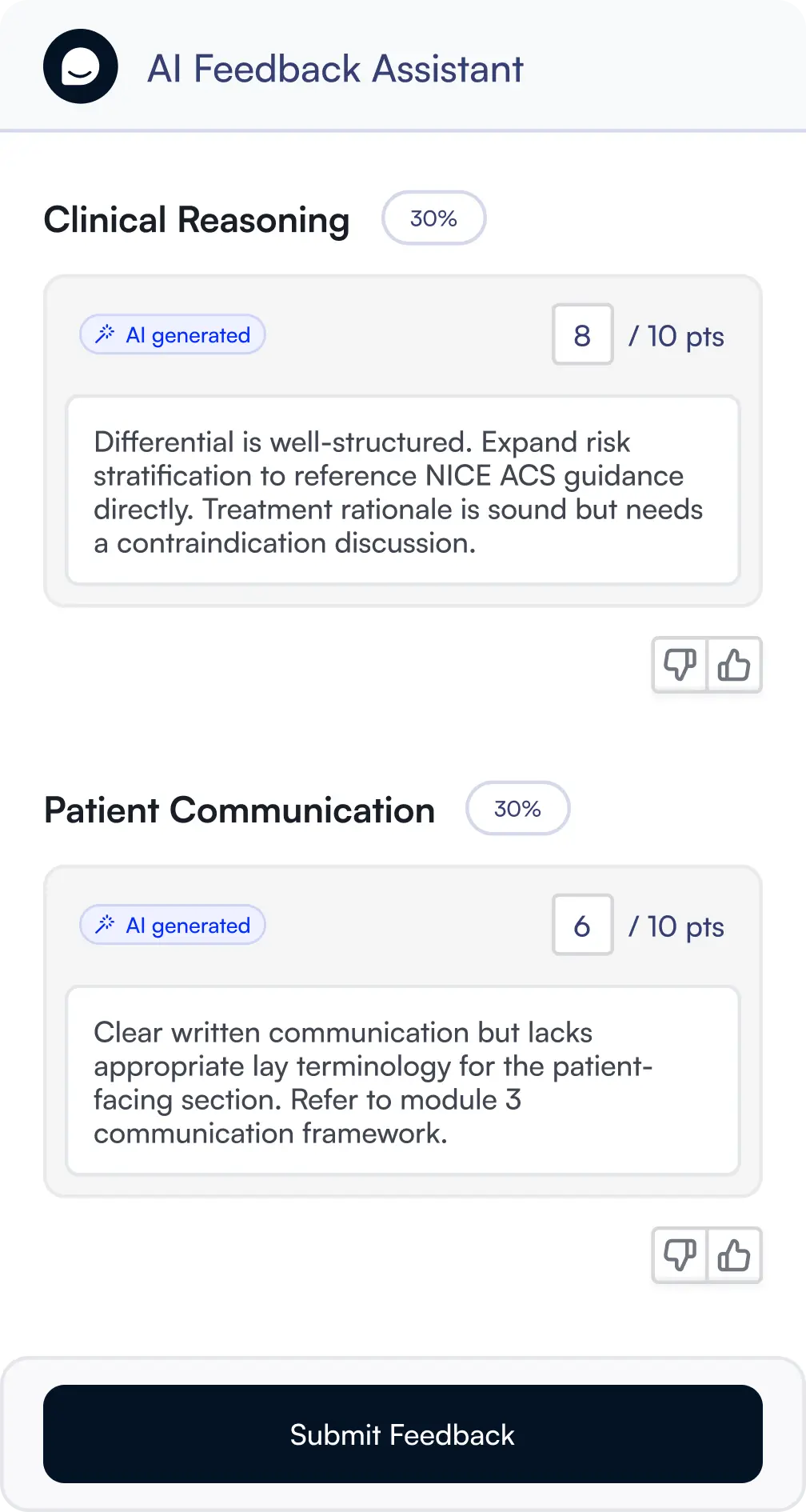
When 150 submissions land during the same week as midterm exams, something has to give. AI Feedback & Grader drafts rubric-aligned feedback on every submission before you open the first one, so you review and publish instead of starting from scratch under pressure.

Why
it
matters

01
Review and publish instead of starting from scratch on every submission
AI Feedback & Grader drafts feedback on every submission before you open the queue, so the decision you make on each one is whether to publish, adjust the tone, or add a personal note, not where to begin.
Time saving
02
Students get results while the assignment is still relevant
When instructors can move through a backlog in hours rather than days, students receive their results and can act on specific gaps identified before the material fades or the course moves on.
Student experience improvement
03
Feedback quality never drops no matter how overloaded the instructor is
AI Feedback & Grader holds a consistent baseline across every submission in the queue. Every student receives rubric-specific feedback regardless of whether their submission was the first or the hundred and forty-seventh in the pile.
Supporting equity and inclusion

How to give assignment feedback at scale with AI

01
Set global feedback capabilities and custom instructions in the dashboard
In the LearnWise dashboard under the AI Feedback tab, enable general feedback, rubric-level feedback generation, and grade suggestions. Add custom instructions to set the baseline tone and structure across all instructors, for example whether to lead with strengths or how directly to reference course materials.
02
Set up a Feedback Profile before opening the queue
Before generating feedback on any submission, instructors set up their Feedback Profile directly on the grading screen. This defines their personal tone, grading preferences, and feedback structure. The profile is set once and persists across all subsequent grading sessions.
03
Open the queue: drafts are ready before you start reviewing
AI Feedback & Grader prepares drafts in the background as submissions arrive. Each rubric criterion is evaluated independently, producing specific per-criterion commentary. When you open a submission, rubric-level feedback and grade suggestions are already waiting. You are reviewing output, not waiting for it to generate.
04
Review, adjust, and publish each submission
Edit the tone, add a personal observation, adjust a grade suggestion, or use the Adjust Feedback panel to request a rewrite at a different length. Once satisfied, publish and move to the next submission. Nothing reaches students without your confirmation. Queue progress is held across sessions.

How it works

Admins set the baseline in the LearnWise dashboard, enabling feedback capabilities and adding global custom instructions that apply across all instructors using the tool. On top of that, each instructor sets up their own Feedback Profile directly on the grading screen before their first session. The profile captures their tone, grading preferences, and feedback structure, and persists across every subsequent session so it only needs to be configured once.

Generation starts in the background as submissions arrive. By the time an instructor opens a submission, the draft is already prepared. Each rubric criterion is evaluated independently, so the feedback breaks down the submission criterion by criterion rather than producing a single undifferentiated comment. Instructors review, adjust, and publish. They can request a rewrite or use the Adjust Feedback panel to refine specific points without discarding the whole draft.

Every published piece of feedback went through an instructor before it reached a student. The tool reduces the time spent on each submission, not the human judgment applied to it.

Key features

  • Overall feedback on the submission generated automatically on receipt
  • Rubric-level feedback and suggested grade for each criterion
  • Course content referenced when relevant to enrich the feedback
  • Text, file, and video submissions all processed in the same workflow
  • Assignment-level control via CSV so automated grading applies only where configured
  • All automated records visible in the dashboard for coordinator review
  • Individual submissions flaggable for instructor follow-up at any time

AI feedback that does not replace educators

AI Feedback & Grader drafts feedback and suggests grades. It does not publish anything. Every submission requires instructor confirmation before feedback reaches the student, and every action is logged.

Ready to get started?

Book a 30-minute walkthrough. We will run a real audit on a demo course and show you exactly what your team would see.