
Systèmes de billetterie
Vue d'ensemble
Jitbit Helpdesk est un système de billetterie robuste conçu pour simplifier les opérations de support client, proposant à la fois un déploiement en mode SaaS et sur site. Il donne la priorité à la gestion des tickets par e-mail grâce à une automatisation puissante, à des fonctionnalités d'intégration et à des interfaces adaptées aux mobiles. LearnWise AI améliore les capacités de Jitbit en intégrant le routage intelligent des tickets et le support intelligent de l'IA, garantissant une résolution plus rapide des problèmes et une meilleure satisfaction des utilisateurs.
Comment ça marche
Mécanisme Ticket Push :
- Intégration de l'API :
- LearnWise AI envoie des requêtes d'assistance directement à l'API de Jitbit, créant ainsi des tickets instantanément avec un contexte et des métadonnées complets.
- Création de tickets par e-mail :
- LearnWise AI utilise également la fonction e-mail-to-ticket de Jitbit pour transmettre des demandes d'assistance structurées.
Flux de travail de billetterie intelligent :
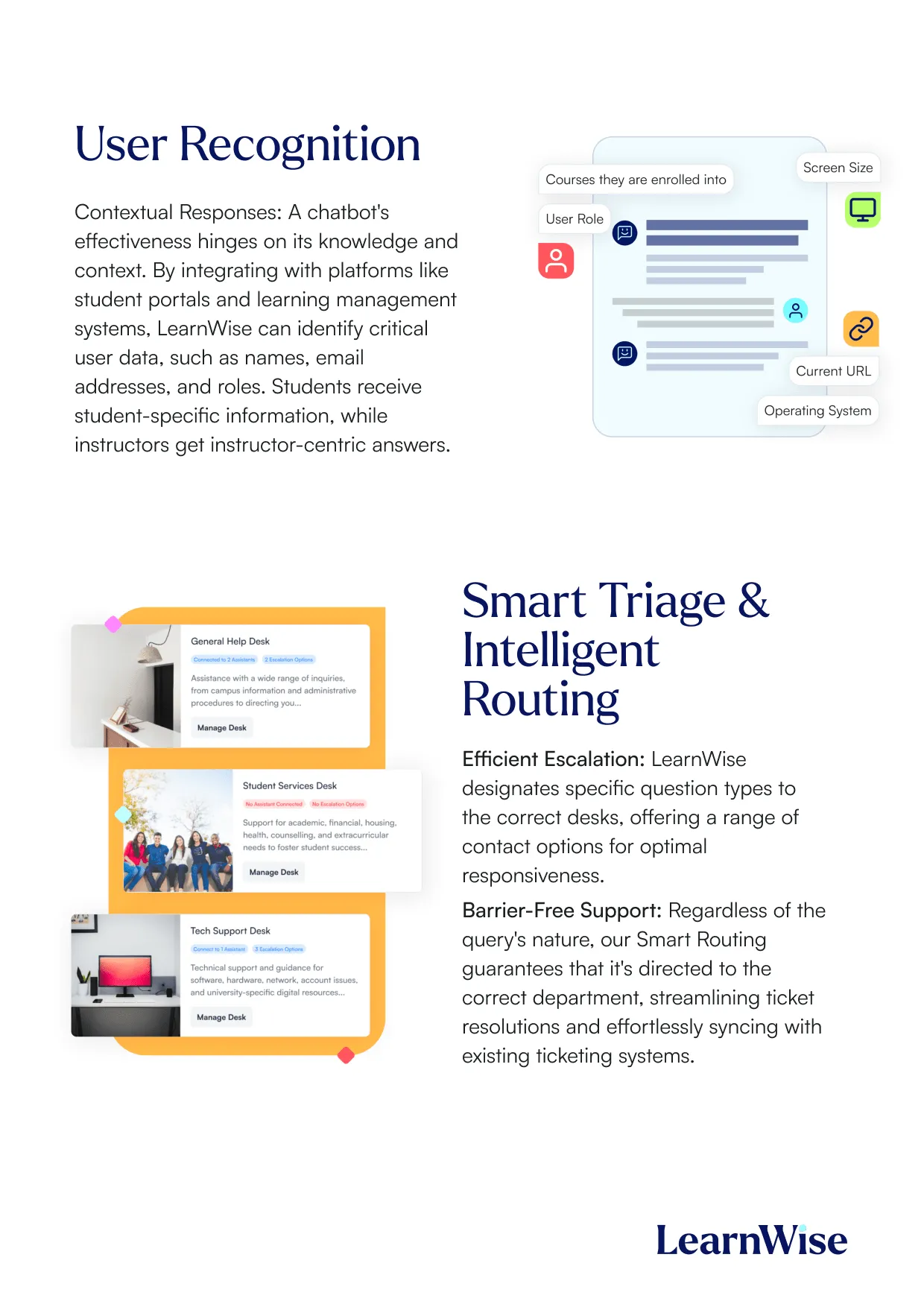
- Triage par IA : LearnWise AI analyse les demandes d'assistance entrantes et les achemine vers la file d'attente Jitbit ou le technicien approprié.
- Intégration des connaissances : Les réponses sont enrichies à l'aide d'articles vérifiés de la base de connaissances liés à LearnWise AI.
- Affectation prioritaire : Les problèmes urgents sont signalés et classés par ordre de priorité en fonction de déclencheurs définis par l'utilisateur.
Étapes de configuration :
- Configurez LearnWise AI pour vous connecter à l'API ou au système de messagerie de Jitbit.
- Définissez les règles d'acheminement des tickets et les voies d'escalade dans LearnWise AI.
- Activez les déclencheurs d'automatisation dans Jitbit pour améliorer l'efficacité du flux de travail.
- Synchronisez les bases de connaissances pour fournir des réponses contextuelles aux tickets.
Pourquoi choisir LearnWise ?
Support intégré à l'IA : LearnWise AI permet aux utilisateurs de Jitbit d'automatiser jusqu'à 50 % des tâches d'assistance, réduisant ainsi la charge de travail des agents tout en garantissant des résolutions rapides et précises. Informations basées sur les données : Obtenez des informations exploitables sur les tendances en matière de tickets et les problèmes récurrents grâce au tableau de bord analytique de LearnWise, qui permet d'optimiser les opérations de support. Déploiement prêt à l'emploi : Avec des connecteurs prédéfinis et un temps de configuration minimal, l'intégration de LearnWise AI à Jitbit est rapide et sans tracas. Préparation omnicanal : Étendez les capacités de Jitbit en gérant les tickets depuis plusieurs canaux, notamment les portails étudiants, les plateformes LMS et les réseaux sociaux.


Créez un assistant IA pour accompagner votre campus
Boost engagement and efficiency at your university by connecting all your essential EdTech tools to LearnWise.
Try it nowUnifiez et rationalisez vos processus de support internes.
Renforcez l'engagement et l'efficacité de votre université en connectant tous vos outils EdTech essentiels à LearnWise.
Réservez une démoTéléchargez l'étude
Découvrez pourquoi LearnWise est la meilleure suite complète d'assistance en matière d'IA pour des institutions comme la vôtre.


Télécharger le livre blanc
Explorez notre guide d'intégration complet pour découvrir comment LearnWise et D2L travaillent ensemble pour rationaliser la prestation, le support et l'évaluation des cours.



Download the whitepaper
Explore our full integration guide to learn how LearnWise AI works in Blackboard to streamline support, teaching and learning.

Download the whitepaper
Explore our full integration guide to learn how LearnWise AI works in Microsoft Teams to streamline support and learning.

Télécharger le livre blanc
Explorez notre guide d'intégration complet pour découvrir comment LearnWise AI fonctionne dans Moodle pour rationaliser le support, l'apprentissage et l'évaluation.

Download whitepaper
Explore our full integration guide to learn how LearnWise AI works in Moodle to streamline support, learning and assessment.

Download the whitepaper
Explore our full integration guide to learn how LearnWise and D2L work together to streamline course delivery, support, and assessment.
Download the whitepaper
Explore our full integration guide to learn how LearnWise AI works in Blackboard to streamline support, teaching and learning.
Download the whitepaper
Explore our full integration guide to learn how LearnWise AI works in Microsoft Teams to streamline support and learning.
Download whitepaper
Explore our full integration guide to learn how LearnWise AI works in Moodle to streamline support, learning and assessment.
FAQ
Common questions, answered.
How long is the product demo?


Most demos last between 30-45 minutes, with additional time available for questions, discussion, and platform-specific use cases.
Is the demo tailored to our institution?
Yes. We build the session around the products and use cases most relevant to you, with examples that reflect how your institution actually works rather than a generic walkthrough. Tell us your priorities in advance and we will focus the time there.
Who should attend the demo?
Bring whoever owns the problem you want to solve. That usually means a mix of the people who would use it day to day, such as LMS admins, student services, or faculty, plus someone who can speak to priorities and budget.
How quickly can LearnWise be implemented?
Faster than most institutions expect. Technical setup is typically 3 to 7 business days, with full onboarding in 3 to 5 weeks, and no coding is required. You can also roll out one product or one department at a time and expand from there.
Intégration similaire
Voir tout


Kraanspoor 50, 1033 SE Amsterdam, Pays-Bas

