
Systèmes de billetterie
Vue d'ensemble
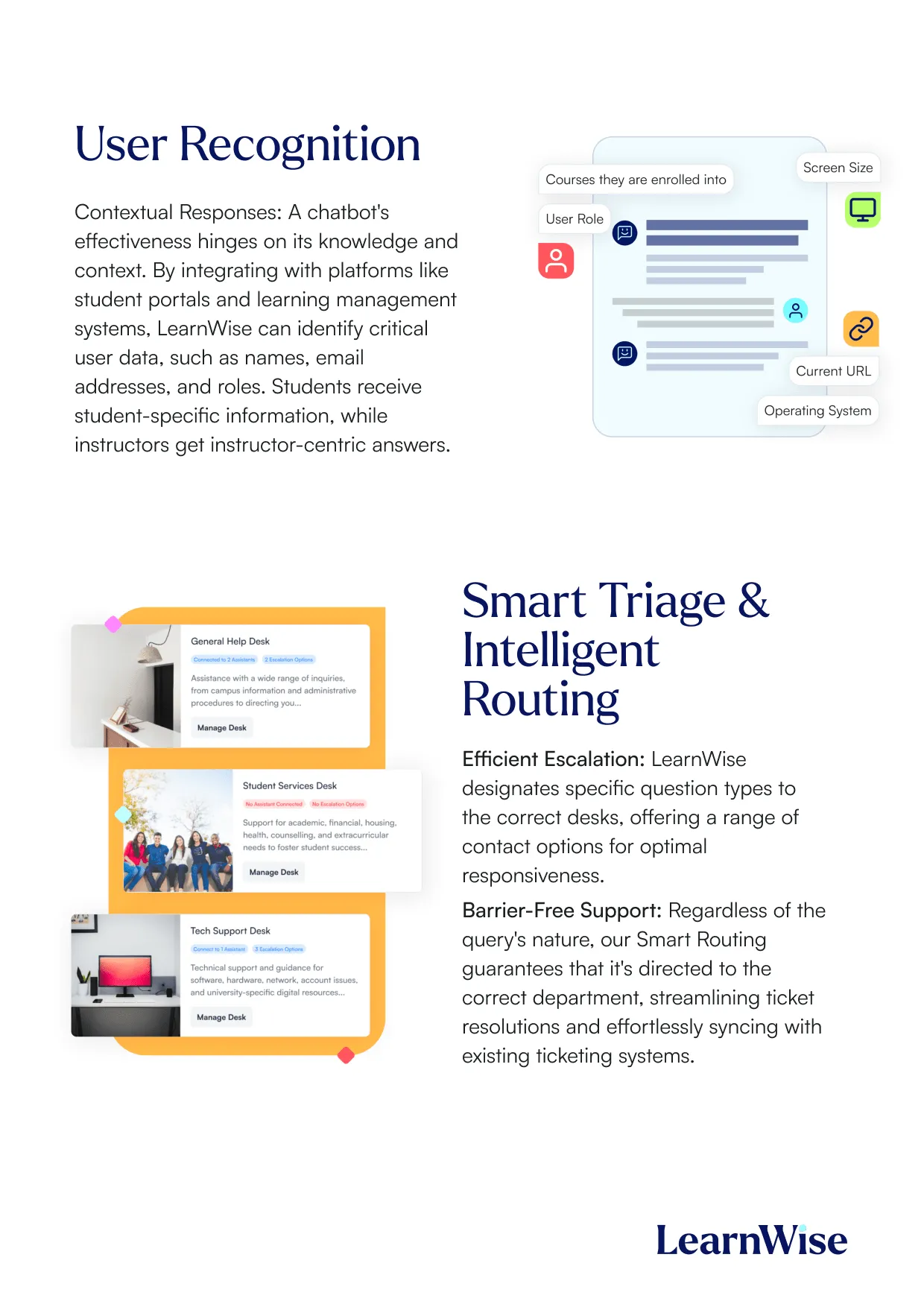
L'assistance téléphonique reste un canal essentiel pour traiter les demandes prioritaires et complexes dans les universités, mais elle peut également être coûteuse et gourmande en ressources. LearnWise AI s'intègre parfaitement au système d'assistance téléphonique de votre établissement, qualifie les appels, oriente les utilisateurs vers les bons numéros de téléphone et automatise la génération de tickets avant l'appel afin de minimiser les temps d'attente et d'améliorer l'efficacité.
Comment ça marche
1. Disponibilité de l'assistance téléphonique configurable :
- Définissez les heures d'ouverture de l'assistance téléphonique et affichez les numéros de téléphone de manière dynamique en fonction de la disponibilité des agents.
- Limitez les numéros de téléphone à des groupes d'utilisateurs ou à des types de cas spécifiques, en veillant à ce que les appels prioritaires soient traités en premier.
2. Qualification pilotée par l'IA :
- LearnWise AI interagit avec les utilisateurs pour collecter des informations clés, telles que le type de requête, l'urgence et les détails pertinents.
- Pour les cas hautement prioritaires, l'IA passe à l'assistance téléphonique, dirigeant les utilisateurs vers le service ou le numéro approprié.
3. Assistance pré-appel automatisée :
- Avant d'afficher un numéro de téléphone, LearnWise AI génère un ticket d'assistance avec les détails de l'utilisateur et le contexte de la requête.
- Le ticket est envoyé par e-mail à l'agent désigné, ce qui l'aide à résoudre le problème plus efficacement pendant l'appel.
4. Routage simplifié :
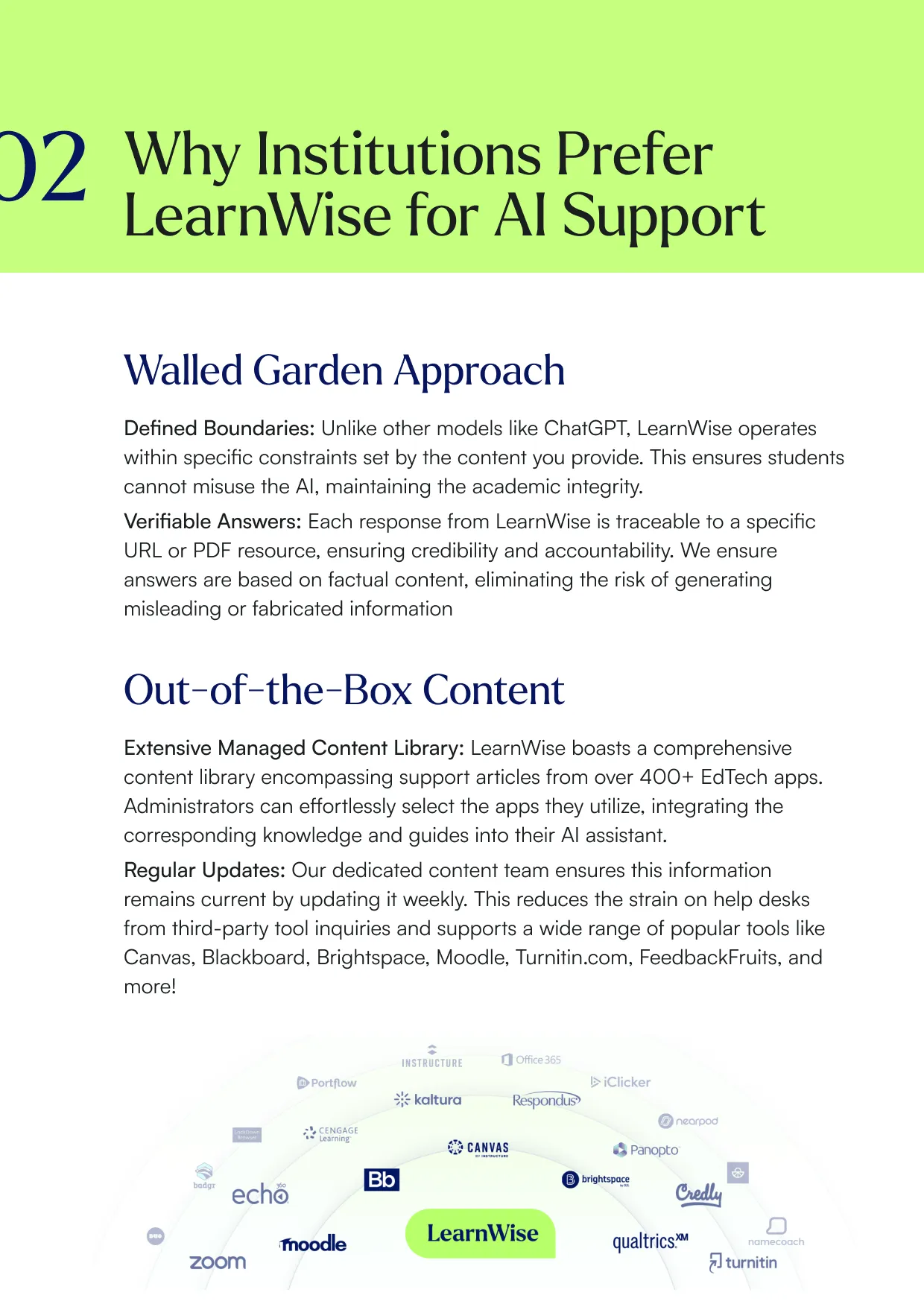
- Fournissez aux utilisateurs des numéros de téléphone adaptés à des besoins spécifiques, tels que l'assistance informatique, l'aide financière ou les conseils académiques.
- Réduisez les temps d'attente et les appels mal orientés en redirigeant les utilisateurs directement vers l'équipe appropriée.
5. Promouvoir le libre-service :
- Pour les problèmes courants ou peu prioritaires, l'IA encourage les utilisateurs à explorer les options en libre-service ou à suivre les résolutions numériques avant de passer à l'assistance téléphonique.
Pourquoi choisir LearnWise ?
En pré-qualifiant les requêtes et en les acheminant correctement, LearnWise AI minimise les temps d'attente et garantit que les agents sont préparés avant de prendre l'appel.
Adaptez l'accessibilité de l'assistance téléphonique en fonction des besoins de l'établissement, des rôles des utilisateurs et des heures d'ouverture, afin de garantir une utilisation efficace des ressources.
Encourager le libre-service pour les demandes de routine réduit la charge de l'assistance téléphonique, optimisant ainsi les coûts opérationnels.

Site Web
Visitez le site principal

Documentation
Documentation
Développeur
Votre centre d'appels téléphoniques
Créez un assistant IA pour accompagner votre campus
Boost engagement and efficiency at your university by connecting all your essential EdTech tools to LearnWise.
Try it nowUnifiez et rationalisez vos processus de support internes.
Renforcez l'engagement et l'efficacité de votre université en connectant tous vos outils EdTech essentiels à LearnWise.
Réservez une démoTéléchargez l'étude
Découvrez pourquoi LearnWise est la meilleure suite complète d'assistance en matière d'IA pour des institutions comme la vôtre.


Télécharger le livre blanc
Explorez notre guide d'intégration complet pour découvrir comment LearnWise et D2L travaillent ensemble pour rationaliser la prestation, le support et l'évaluation des cours.



Download the whitepaper
Explore our full integration guide to learn how LearnWise AI works in Blackboard to streamline support, teaching and learning.
Download the whitepaper
Explore our full integration guide to learn how LearnWise AI works in Microsoft Teams to streamline support and learning.

Télécharger le livre blanc
Explorez notre guide d'intégration complet pour découvrir comment LearnWise AI fonctionne dans Moodle pour rationaliser le support, l'apprentissage et l'évaluation.

Download whitepaper
Explore our full integration guide to learn how LearnWise AI works in Moodle to streamline support, learning and assessment.

Download the whitepaper
Explore our full integration guide to learn how LearnWise and D2L work together to streamline course delivery, support, and assessment.
Download the whitepaper
Explore our full integration guide to learn how LearnWise AI works in Blackboard to streamline support, teaching and learning.
Download the whitepaper
Explore our full integration guide to learn how LearnWise AI works in Microsoft Teams to streamline support and learning.
Download whitepaper
Explore our full integration guide to learn how LearnWise AI works in Moodle to streamline support, learning and assessment.
FAQ
Common questions, answered.
How long is the product demo?


Most demos last between 30-45 minutes, with additional time available for questions, discussion, and platform-specific use cases.
Is the demo tailored to our institution?
Yes. We build the session around the products and use cases most relevant to you, with examples that reflect how your institution actually works rather than a generic walkthrough. Tell us your priorities in advance and we will focus the time there.
Who should attend the demo?
Bring whoever owns the problem you want to solve. That usually means a mix of the people who would use it day to day, such as LMS admins, student services, or faculty, plus someone who can speak to priorities and budget.
How quickly can LearnWise be implemented?
Faster than most institutions expect. Technical setup is typically 3 to 7 business days, with full onboarding in 3 to 5 weeks, and no coding is required. You can also roll out one product or one department at a time and expand from there.
Intégration similaire
Voir tout


Kraanspoor 50, 1033 SE Amsterdam, Pays-Bas

