How to Use AI Effectively in Higher Education Right Now: Real Examples, Prompts, Workflows, and Agents
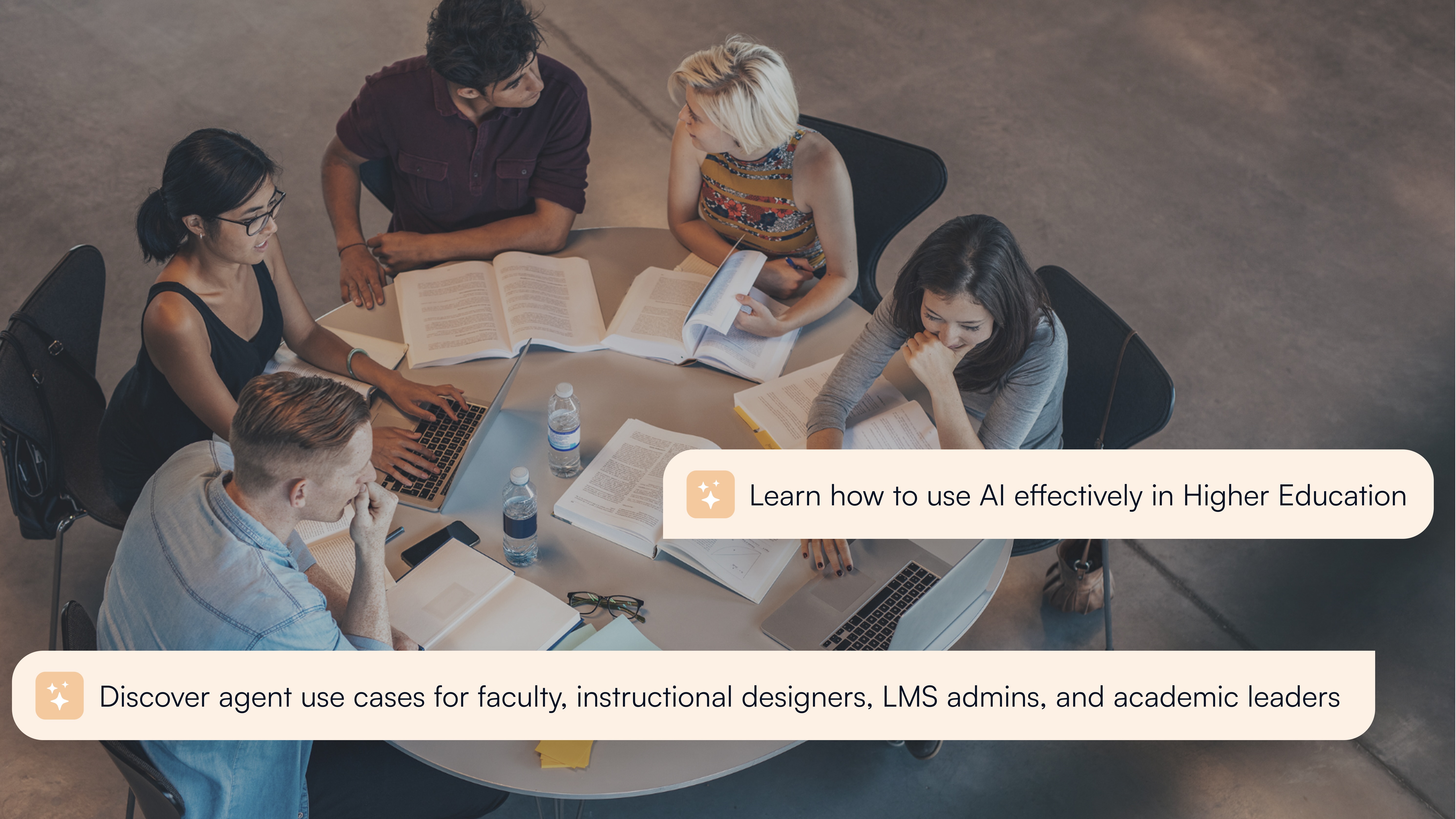
Higher education is using AI at scale. But using it well is a different challenge. This guide covers what actually works, across faculty, instructional designers, LMS administrators, and academic leaders.
Why Higher Education Can No Longer Afford to Get AI Wrong
Faculty workloads have not become lighter. Support teams are answering the same questions they answered last term. Grading backlogs build during every peak period. Administrative tasks that could take minutes consume hours. And somewhere in the institution, there is a digital transformation strategy that everyone agrees matters, but that nobody has enough bandwidth to fully execute.
This is the real context for AI in higher education in 2026: institutions are not adding AI because it is fashionable, but because the structural pressure of doing more with the same resources, while maintaining quality and student outcomes, is no longer optional to address.
But saving time is only part of the story. The institutions getting the most out of AI are not just running faster. They are changing what is possible: what faculty can give back to students, what leaders can see about their institution, what students can access at the moment they need help. That shift from doing more to doing differently is where effective AI use actually lives.
The numbers bear this out. EDUCAUSE's January 2026 report, The Impact of AI on Work in Higher Education, found that more than 70% of higher education professionals now use AI tools daily or weekly, yet only 54% are aware of their institution's AI use policies and guidelines. A mere 5% of institutions have no work-related AI strategy at all, and 64% are taking a multipronged approach that includes piloting AI tools, evaluating risks and opportunities, and creating policies. At the same time, 67% of respondents identified six or more "urgent" AI-related risks, a figure that captures not resistance to AI, but the scale of institutional anxiety about getting it wrong.
Students reflect a similar pattern. HEPI's 2026 Student Generative AI Survey found AI use "near universal" among UK undergraduates, with over two-thirds viewing AI skills as essential for their future careers, but fewer than half feeling their institution was helping them develop those skills. Gallup's 2026 State of Higher Education report found that while AI use is widespread among US students, more than half report their institution either discourages or prohibits it. The gap between usage and governance is real, and it is widening. The 2026 EDUCAUSE Horizon Report identifies AI in teaching and instructional design as one of the top technological trends shaping higher education over the next decade, alongside growing cybersecurity threats to student and faculty data and accelerating financial strain from declining enrollments.
What those numbers do not capture is the gap between adoption and effective use. Tools are being used, but in many institutions they are being used inconsistently, without governance, and without the workflow integration that makes them sustainable. This guide addresses that gap.
This guide is written for higher education practitioners who are past the "should we?" stage and into the "how do we do this well?" stage. It covers what AI can actually do right now across the four groups most directly affected: faculty, instructional designers, academic leaders, and LMS administrators. It explains what an AI agent is and is not, what governance needs to exist before you scale, and how institutions at different stages can take a practical first step. It also covers how an AI powered LMS layer, one embedded in the systems people already use, not bolted on top, makes the difference between AI that gets adopted and AI that gets abandoned.
Who this guide is for: faculty who want to know what AI is actually useful for and what to avoid; instructional designers navigating a rapidly changing course development landscape; academic leaders being asked to justify AI investment and connect it to outcomes; and LMS administrators responsible for deploying AI in a governed, sustainable way.
What Can AI Actually Do in Higher Education Right Now?
Before getting into what AI can do for each role, it helps to establish a shared language. The term "AI" covers a very wide range of capability, and the distinction matters when you are deciding where to deploy it.
What is the difference between an AI assistant, an AI workflow, and an AI agent?
It helps to understand how these categories evolved. Early AI tools in education were simple chatbots: rule-based systems that matched keywords to predetermined responses, with no understanding of context, no institutional knowledge, and no ability to adapt. They reduced basic ticket volume but broke quickly at anything beyond the most predictable queries.
The next generation became AI assistants: conversational tools capable of drawing from institution-controlled knowledge, recognizing user roles, and escalating appropriately when a query fell outside their scope. Most student support tools in use today operate at this level, and for many institutions it remains the right starting point.
AI workflows went further by automating sequences of steps. Rather than just answering a question, a workflow could draft rubric-aligned feedback across a cohort of submissions, generate a module outline from a set of learning objectives, or trigger an escalation path when a student query matches a sensitive keyword. The instructor or administrator is still in the loop, but the AI handles the repetitive steps between the decision and the outcome.
AI agents represent the most capable tier, and the one that requires the most careful governance. An agent can take actions, not just draft outputs. It can publish a module, update due dates across a course, query a gradebook for at-risk students, or coordinate tasks across integrated systems from a single natural language prompt. This is the tier now emerging in LMS environments, and it is where LearnWise's AI Ops Assistant operates.
The practical question for any institution is not which tier is most impressive, but which tier matches the problem you are trying to solve and the governance infrastructure you have in place to support it. Agentic AI for education is powerful, but deploying it without role-based access controls, audit logging, and clear permission boundaries creates institutional risk that outweighs the benefit.
What AI use cases in higher education are working at scale right now?
The Impact of AI on Work in Higher Education (EDUCAUSE, 2026) found that the most common AI work tasks among higher education staff are brainstorming, drafting communications, summarizing documents, proofreading, and creating presentations. But in terms of institutional-level deployment with measurable outcomes, a clearer picture of what is working has emerged:
AI-powered student support, embedded in the LMS and student portals, consistently reduces Tier-1 support ticket volume. Institutions deploying governed AI support report reductions of 30 to 50% in repetitive inbound queries, freeing support staff for complex cases that genuinely require human judgment.
AI feedback drafting for faculty, embedded in existing grading workflows, reduces marking time on large cohorts without removing instructor judgment from the process. Students consistently prefer timely, consistent feedback over delayed but highly personalized feedback, and AI-assisted workflows can deliver both.
AI tutoring inside the LMS, drawing from course-specific materials, improves student engagement with course content and reduces the navigation friction that causes disengagement. This is particularly significant in the first weeks of term, which the 2026 EDUCAUSE Horizon Report identifies as a decisive period for student retention, citing AI-transformed academic support as one of the top technological trends shaping student success.
AI analytics, surfacing patterns from student interactions and support data, give academic leaders and department heads the visibility they need to act early on course quality issues and student risk signals, before they appear in end-of-term grade distributions.
Beyond these core use cases, institutions are using AI for administrative workflow automation, content accessibility adaptation, at-risk student identification, course quality audits, and accreditation evidence gathering. The EDUCAUSE 2026 report identifies operational efficiency and improved student outcomes as the most promising opportunities that higher education professionals see in AI, alongside concerns about data privacy, governance gaps, and uneven adoption across staff groups.
Which AI use cases in higher education are still experimental?
Fully autonomous grading, AI-generated personalized learning pathways that override course structure, and AI advising that handles complex policy interpretation without escalation paths are areas where institutional risk currently outweighs the available return. The sector is moving in these directions, but the governance infrastructure to support them safely is not yet standard.
The clearest signal of a mature AI approach is this: the institution knows what the AI is allowed to do, can explain where its answers come from, and has a way to catch and correct errors when they occur.
How Can Faculty Use AI Effectively in the LMS?
Faculty are the group most directly affected by AI in the LMS, and often the most divided about it. Some are already using AI extensively in their course preparation. Others are skeptical, concerned about academic integrity, or simply too stretched to evaluate new tools. Both responses are reasonable. The goal of this section is not to advocate for AI use in general, but to be specific about where it genuinely helps and where caution is warranted.
This section focuses on what faculty can do with the AI Ops Assistant and AI Feedback & Grader. For student-facing AI tools, see the AI Student Tutor and AI Campus Support product pages.
Where does faculty time go, and where can AI in the LMS realistically help?
Research published by EDUCAUSE in 2026 found that faculty who use AI tools at least weekly save an average of 5.9 hours per week, roughly equivalent to six extra weeks of reclaimed time across a standard academic year. That figure covers brainstorming, drafting, summarizing, and administrative tasks, not just grading. The practical breakdown of where that time is reclaimed tells the more useful story.
The typical faculty workload has three time sinks where AI can make a meaningful difference:
Content creation and course preparation. Writing module outlines, drafting assessment briefs, creating discussion prompts, preparing study guides. These tasks follow patterns, which means AI can produce a useful first draft that the faculty member then refines. The value is not that the AI does it better, but that the instructor spends 20 minutes refining rather than 90 minutes writing from scratch.
Feedback and grading. This is where workload spikes most acutely: large cohorts, high-stakes assessments, competing deadlines. Feedback is also where students report the most frustration. AI feedback drafting, embedded in existing grading workflows, addresses both sides of this without removing instructor judgment from the process.
Administrative and course management tasks. Announcements, weekly overviews, deadline reminders, policy clarifications. These tasks matter to students but consume faculty time disproportionately. An AI agent embedded in the LMS can handle many of them through a single prompt.
What can an AI faculty assistant do inside your LMS today?
Before explaining what an AI faculty assistant can do, it helps to understand what AI assistants for faculty already do well. Most faculty at institutions using LearnWise products like [Fix this reference] AI Ops Assistant AI Campus Support are already familiar with what an AI assistant looks like in practice: a student asks "Where do I submit Assignment 3?" and gets an instant, course-specific answer without emailing the instructor. Faculty ask "Show me the most common questions students have asked this week" and get a summary that surfaces confusion before it becomes support tickets. These assistants answer, guide, and surface - they operate within a defined knowledge boundary and escalate when they cannot help.
Use case: Identify at-risk students across a course or program.
An AI Ops Assistant goes further. It is an action-oriented assistant that can complete multi-step workflows from a natural language prompt. AI assistants for education operate inside the systems faculty already use, rather than requiring them to move to a separate tool. Think of it as the difference between asking an assistant to draft an announcement versus asking them to draft, schedule, and post it across all your course sections simultaneously.
Use case: Tackle edtech overload
The AI Ops Assistant from LearnWise operates at this level across Canvas, Brightspace, Moodle, and Blackboard. In practical terms, faculty can use it for:
Course actions and workflow automation
- Bulk-publish modules, update due dates, or configure course settings across sections
- Draft and schedule announcements or weekly overviews
- Extend all due dates in a module by 48 hours across every section, with a review list before anything changes
- Initiate course setup steps without navigating through menus
Data queries and course insights
- "Which students have not submitted Assignment 2?"
- "What is the average grade for Quiz 3 across all sections?"
- "Show me participation trends for this week's discussion"
- "Show me a student engagement profile for Maria — grades across my courses, discussion activity, last login, and any missing assignments"
These queries are role-aware: the AI tailors responses based on the user's permissions and accesses only the data configured by institutional administrators.
Course quality checks and content generation
- Drafting module outlines, micro-lectures, and explanations at different complexity levels
- Generating quiz questions, discussion prompts, and practice sets aligned to learning objectives
- Rewriting content for clarity or accessibility
- Checking for rubric-to-gradebook point mismatches before the term begins
Support and service delivery
- Answering policy and process questions (deadlines, extension procedures, submission guidance)
- Deflecting routine Tier-1 queries before they reach the faculty member's inbox
- Flagging active student accommodations that have not yet been applied to upcoming assessments
The differentiator for multi-LMS institutions is coverage. Unlike native LMS AI tools that operate within a single platform, LearnWise's AI Ops Assistant connects across Canvas, Brightspace, Moodle, and Blackboard, pulling data and taking actions across all systems the institution uses, from a single interface. For a full picture of what the AI Ops Assistant can do by role, see the AI Ops Assistant product page.
Learn more about our use cases: Identify at-risk students in your courses, and identify at-risk students across an entire program.
What do real AI prompts and workflows look like for faculty?
These are examples of prompts faculty can use with an AI assistant embedded in the LMS. The outputs are drafts: the instructor reviews, edits, and decides what to use.
Module outline from learning objectives:
"Create a five-module outline for an introductory course on data ethics. Each module should include a learning objective, two core readings (leave placeholders), one discussion prompt, and one formative activity."
Discussion prompt generation:
"Write three discussion prompts for a week focused on AI bias in hiring. One should ask students to take a position, one should ask them to apply a framework from the readings, and one should connect the topic to their own professional context."
Assessment brief:
"Draft an assignment brief for a 1,500-word reflective essay on sustainable urban planning. Include a clear task description, three assessment criteria, word count guidance, and a note on acceptable use of AI tools."
Accessibility adaptation:
"Rewrite this module summary at two different reading levels: one for students with strong prior knowledge and one for students new to the subject."
The following prompts go further: they use the AI Ops Assistant's agent capabilities to query live course data or take bulk actions inside your LMS.
At-risk student identification:Surfacing at-risk students through a natural language query is not available in standard LMS reporting. With the AI Ops Assistant, faculty can pull cross-course risk signals on demand without waiting on IT or running manual gradebook exports.
"Show me all students in my current courses who have not submitted in the last two weeks and have below 60% overall. Group them by course."
Bulk deadline management (advanced agent action): This is an agent-level action, not a simple query. The AI Ops Assistant proposes every change for instructor review before executing — nothing updates until you confirm. Doing this manually across multiple sections and assignment types would typically take 20 to 30 minutes.
"Extend all Week 8 submission deadlines by 48 hours across every section of my courses. Show me the full list of changes before applying anything."
How does AI feedback and grading work inside the LMS, and what is the assistive model?
The assistive model is the standard for responsible AI use in assessment. It works like this:
- The instructor opens the grading tool inside the LMS (Canvas SpeedGrader, Brightspace Grader, Moodle Grader)
- The AI analyzes the submission against the rubric, course content, and any instructor annotations
- The AI generates draft feedback: rubric-aligned, with suggested scores per criterion
- The instructor reviews, edits tone or depth, and publishes
The LearnWise AI Feedback & Grader uses a two-phase approach: a Grading Planner that builds a scoring blueprint for each rubric criterion, defining what quality of work earns each score; and a Grading Agent that evaluates the submission against each criterion and selects the best-fit score, erring on the side of caution when work falls between levels. Instructors retain full decision-making authority. Nothing is published without human review, and the feedback profile is customizable so the AI reflects each instructor's tone and structure preferences.
The practical benefits are consistent: feedback reaches students faster during peak periods, the quality of feedback is more consistent across a large cohort (the twentieth submission receives the same attention as the first), and instructors spend their time on the editorial judgment that actually requires expertise rather than the structural work that follows a repeatable pattern. In a 2025 study involving LearnWise's Feedback & Grader, students preferred AI-assisted feedback 84% of the time over standard instructor-only feedback delivery.
What faculty should not delegate to AI: final grade decisions, academic integrity judgments, sensitive pastoral or wellbeing conversations, and any feedback that requires knowledge of a specific student's circumstances. The AI works from the submission and the rubric. The instructor works from the full picture.
The 2026 EDUCAUSE Horizon Teaching & Learning Report notes that as AI becomes more integral to the LMS, instructors can use course data to identify where students are struggling and make adjustments during the term — but flags that expert faculty review remains critical to ensure AI-generated material does not feel generic or miss important disciplinary nuance.
See how AI feedback and grading works inside your LMS and how it fits your institution's existing workflows.
How Are Instructional Designers Using AI to Build Better Courses?
The rise of faculty-facing AI tools has changed the instructional designer's position in a fundamental way. When faculty can generate a module outline or a set of quiz questions in minutes, the instructional designer's role shifts: not away from course design, but toward the layer of judgment, quality assurance, and pedagogical alignment that AI cannot reliably provide.
The 2026 EDUCAUSE Horizon Teaching & Learning Report identifies this shift explicitly: faculty and instructional designers are using AI to streamline course development, ensure materials are accessible, and improve alignment across sections and programs. The report also flags the risk that if AI-generated course material is not reviewed by expert faculty, it can feel generic,m which is precisely where instructional designers add irreplaceable value.
This is a good development for instructional designers who understand it. The volume of first-draft content available to them increases significantly. The value they add by reviewing, aligning, and improving that content becomes more visible, not less.
The workflows in this section use the AI Ops Assistant for course generation and quality checks, and the AI Student Tutor for accessibility and multilingual support.
How can AI help with course structure, learning objective alignment, and accessibility?
Course structure and sequencing. AI can draft module structures, weekly pacing plans, and learning progression maps from a set of objectives. The draft gives the instructional designer a concrete starting point for discussion with faculty, much faster than working from a blank document.
Learning objective alignment. AI can check whether assessment tasks, activities, and content are coherently connected to stated outcomes. A useful prompt: "Here are the learning objectives for Module 3 and the assessment brief. Identify any misalignments and suggest adjustments."
Content generation at scale. AI can produce multiple versions of an explanation at different complexity levels, generate worked examples for abstract concepts, and create differentiated materials for cohorts with varying prior knowledge. The designer's role is to specify what is needed, review quality, and ensure alignment.
Accessibility. AI can rewrite materials for plain language, flag readability issues, and generate alternative-format summaries for students with different learning needs. LearnWise's AI Student Tutor supports multilingual delivery: students can query course materials in their preferred language, even when the source content is in another language, which is particularly valuable for institutions with international cohorts.
See how this works in practice: Identify course gaps early.
What prompt frameworks can instructional designers use for module outlines, activity sets, and assessment briefs?
AI tools in the LMS function as an effective course generator for the foundational work of instructional design, such as outlines, activity sets, rubrics, and assessment briefs, allowing instructional designers to spend less time producing first drafts and more time refining them for quality and alignment. Used as an LMS AI course generator, these tools can cut the time from brief to first draft from days to minutes, giving instructional designers the headroom to focus on the pedagogical decisions that actually require expertise.
Module outline from scratch:
"Create a four-week module outline on [topic] for undergraduate students with no prior knowledge. Each week should include: one learning objective, two to three core activities (including at least one collaborative activity), one formative assessment, and estimated student time on task."
Rubric generation:
"Create a four-criterion analytic rubric for a 2,000-word case study analysis. Criteria should reflect: quality of argument, use of evidence, application of theory, and written clarity. Four performance levels: distinction, merit, pass, fail."
Activity set generation:
"Generate five retrieval practice activities for a module on project risk management. Include: two multiple-choice questions, one short-answer scenario, one matching activity, and one reflective prompt. Align each to the following learning objectives: [list]."
Where do instructional designers add the most value when AI handles the first draft?
The instructional designer's judgment is most valuable at three points: deciding what the course structure should achieve before AI generates anything; reviewing AI output for accuracy, bias, and pedagogical soundness; and ensuring that the overall learning experience is coherent across modules, not just adequate at the individual activity level.
AI-generated content is fast but not infallible. It can produce plausible-sounding explanations that are technically inaccurate in specialist domains. It can generate assessments that test surface recall rather than deeper understanding. An experienced instructional designer catches these problems, and their value in doing so increases as the volume of AI-generated content grows. As EDUCAUSE's 2026 article AI and Course Design put it, AI can serve as a "quiet partner that amplifies what educators already do well" - but only when faculty and designers remain in control of pedagogical intent.
Explore how LearnWise supports teaching and learning teams
What Can AI Do for LMS Administrators in Higher Education?
LMS administrators sit at the intersection of every AI deployment decision. They understand the technical constraints, the governance requirements, the integration landscape, and the user behavior patterns that determine whether a tool gets adopted or ignored. They are also, in many institutions, the people being asked to manage an expanding portfolio of AI tools with no corresponding increase in resources. This section covers common questions about AI use for LMS administrators.
This section covers what LMS administrators can do with the AI Ops Assistant, including bulk actions, course audits, and cross-LMS deployment.
What is the difference between an AI powered LMS and AI bolted on top of an LMS?
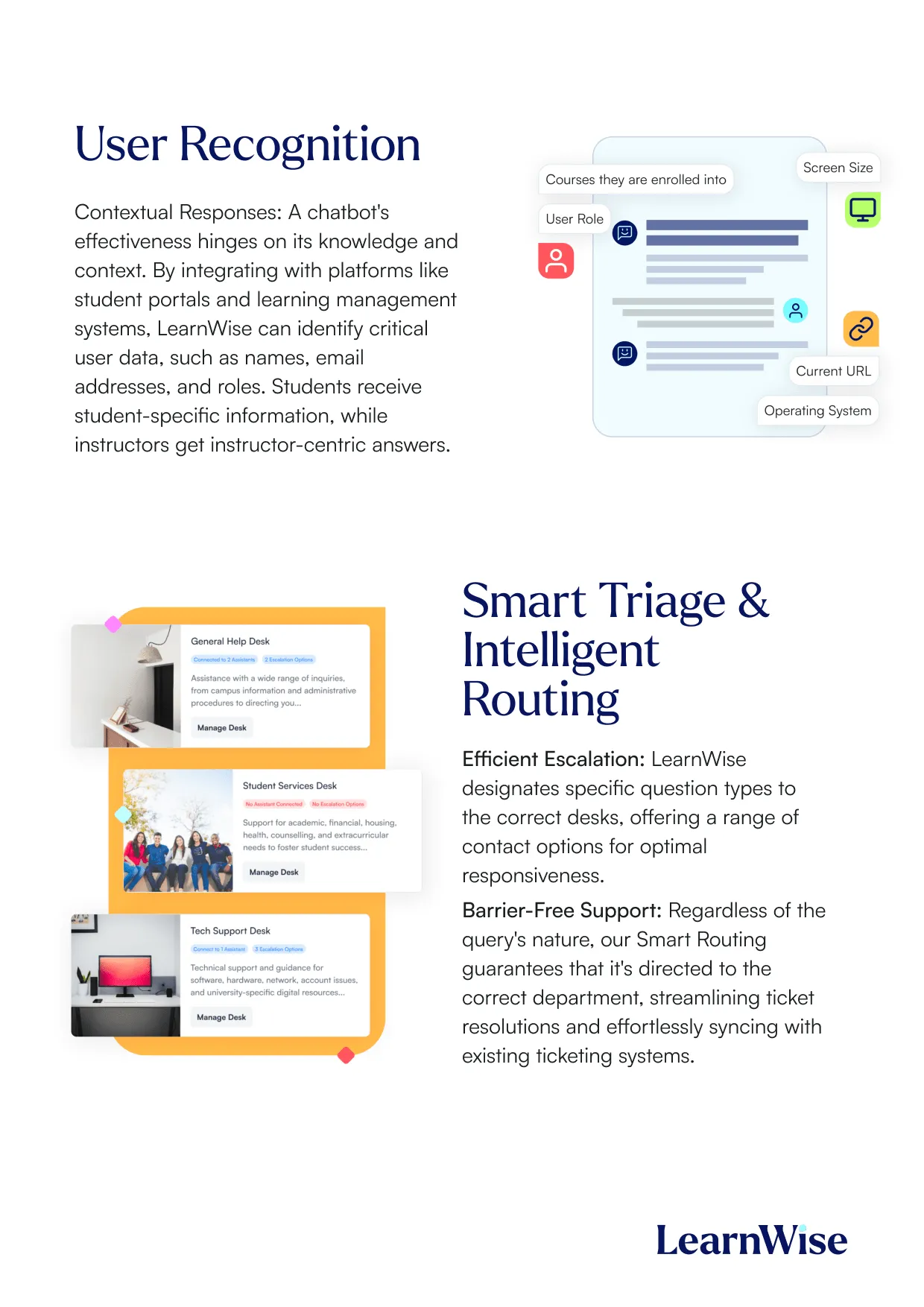
An AI powered LMS, or more precisely, an LMS with AI embedded natively within it, is aware of course structure, user roles, and institutional policies. It operates within the grading workflow faculty already use, appears in the course space students are already in, and draws from knowledge the institution has already reviewed and approved. It does not require a behavior change to access, which is the single most important factor for adoption.
AI bolted on top requires users to leave the LMS, upload files to a separate tool, or manage an additional login. Even when the underlying capability is impressive, the friction of the extra step consistently reduces adoption and creates governance problems when usage is fragmented across uncontrolled tools.
The practical implication: when evaluating AI for the LMS, the question is not only "what can this tool do?" but "where does it appear in the workflow?" If the answer is "outside the LMS," adoption will be limited regardless of the model's capability. An AI LMS integration that sits inside existing workflows, such as grading, course navigation, and student support, is consistently where institutions see the strongest returns. For institutions comparing an AI powered LMS integration against standalone tools, the workflow placement question almost always determines adoption outcomes more than capability does.
What AI agents do for LMS administration: bulk actions, configuration, and course audits
The shift from AI assistant to AI agent changes the nature of LMS administration in a fundamental way. Rather than navigating menus and executing tasks manually, administrators can instruct an agent to complete workflows through a natural language prompt.
In practical terms:
Bulk actions and workflow automation
- "Set all spring term courses to unpublished"
- "Archive all courses from the 2023-24 academic year"
- "Update the submission deadline for Assignment 2 across all sections of COMP101"
- "Add Dr. Thompson as instructor to all 12 sections of BIOL 201 this term"
Guided task completion. The LMS becomes a place where administrators "ask and do" rather than "click and search." Multi-step configuration tasks that previously required navigating multiple menus can be initiated from a single instruction.
Course audits and quality checks. AI can review courses for missing required elements - syllabi, rubrics, accessibility settings - and flag non-compliance with institutional standards before term begins. It can surface patterns: which courses generate the most student support queries, where content gaps appear consistently, which modules students find most confusing based on help-seeking behavior. A full course QA audit that typically takes three to four hours manually can be completed in minutes, using the institution's own uploaded standards as the evaluation framework.
Use cases: VPAT accessibility compliance audit, Course QA audit
Audit trails. Every action taken by an AI agent should be logged. Administrators need to be able to see what the agent did, when, and at whose instruction, and that log needs to be auditable by IT leadership and risk committees.
How does AI integration work across Canvas, Brightspace, Moodle, and Blackboard?
Each major LMS has its own AI direction, and institutions running multiple platforms or evaluating AI platforms for higher education customized workflows need to understand what is native versus what requires integration. The answer matters for governance, adoption, and total cost of ownership.
Canvas. Instructure launched IgniteAI Agent in March 2026, a conversational AI agent powered by AWS Bedrock that can complete workflows in Canvas through a single prompt. It covers rubric generation, module creation, due date adjustments within a single course, accessibility cleanup, discussion review, and announcement posting. It is free for US Canvas customers through June 2026. Its governance model is well-designed: institutional opt-in, admin-level enable/disable by role, and AI Nutrition Facts disclosures showing which models are in use. Its key limitation is scope: it is session-bound, works on one course at a time, and cannot access institutional sources outside the Canvas ecosystem.
LearnWise extends what Canvas already does well. Deploying via LTI, JavaScript, or API, LearnWise embeds AI Campus Support, AI Student Tutor, AI Feedback & Grader, and AI Ops Assistant directly inside the Canvas interface without requiring users to navigate elsewhere. LearnWise can act across multiple courses simultaneously, draw from SIS data and institutional knowledge sources beyond Canvas, and connect support, tutoring, and feedback analytics in a single governed layer. See how LearnWise works with Canvas.
Brightspace. D2L has a defined AI direction through its Lumi suite. LearnWise's partnership with D2L means integration is built specifically for how Brightspace is structured. Lumi Chat, Lumi Tutor, and Lumi Feedback are embedded directly in the Brightspace environment. LearnWise's AI Ops Assistant on Brightspace can additionally surface cross-section consistency data, identify at-risk students across multiple courses simultaneously, and run course QA audits against uploaded institutional standards. See the LearnWise Brightspace integration.
Moodle. Moodle's open architecture supports multiple integration pathways: LearnWise can be installed via the Moodle plugin directory, deployed via LTI, or connected through the API. Governance considerations are more significant here because the flexibility of Moodle's plugin ecosystem means administrators need to actively manage centralized provider control and prevent fragmented deployment. See how LearnWise works with Moodle.
Blackboard. Blackboard environments typically prioritize stability, scale, and enterprise governance. AI integration needs to meet those expectations rather than work around them. LearnWise deploys via LTI and platform integration, designed for Blackboard's governance requirements from the start. See the LearnWise Blackboard integration.
Why does multi-LMS capability change the value proposition for AI assistants?
For institutions running more than one LMS, or managing a complex EdTech stack across departments, the limitation of native LMS AI tools is significant: they operate within their own platform and cannot see or act across others.
LearnWise's AI Ops Assistant is built for multi-LMS environments: it integrates with Canvas, Brightspace, Moodle, Blackboard, SharePoint, Microsoft Teams, Kaltura, ServiceNow, and other tools in the institution's ecosystem. Faculty and administrators interact with one agent that has visibility across the full stack, rather than managing separate AI tools for each platform. For institutions where different departments run different LMS environments, this is not a minor convenience. It is the difference between a fragmented AI experience and a governed, consistent one.
Use case: Support LMS migration
What integration requirements should administrators confirm before deploying AI in the LMS?
- SSO and role-based access control (RBAC): who can access the AI and what can they do?
- Audit logging: is every interaction recorded, and is that log exportable for compliance review?
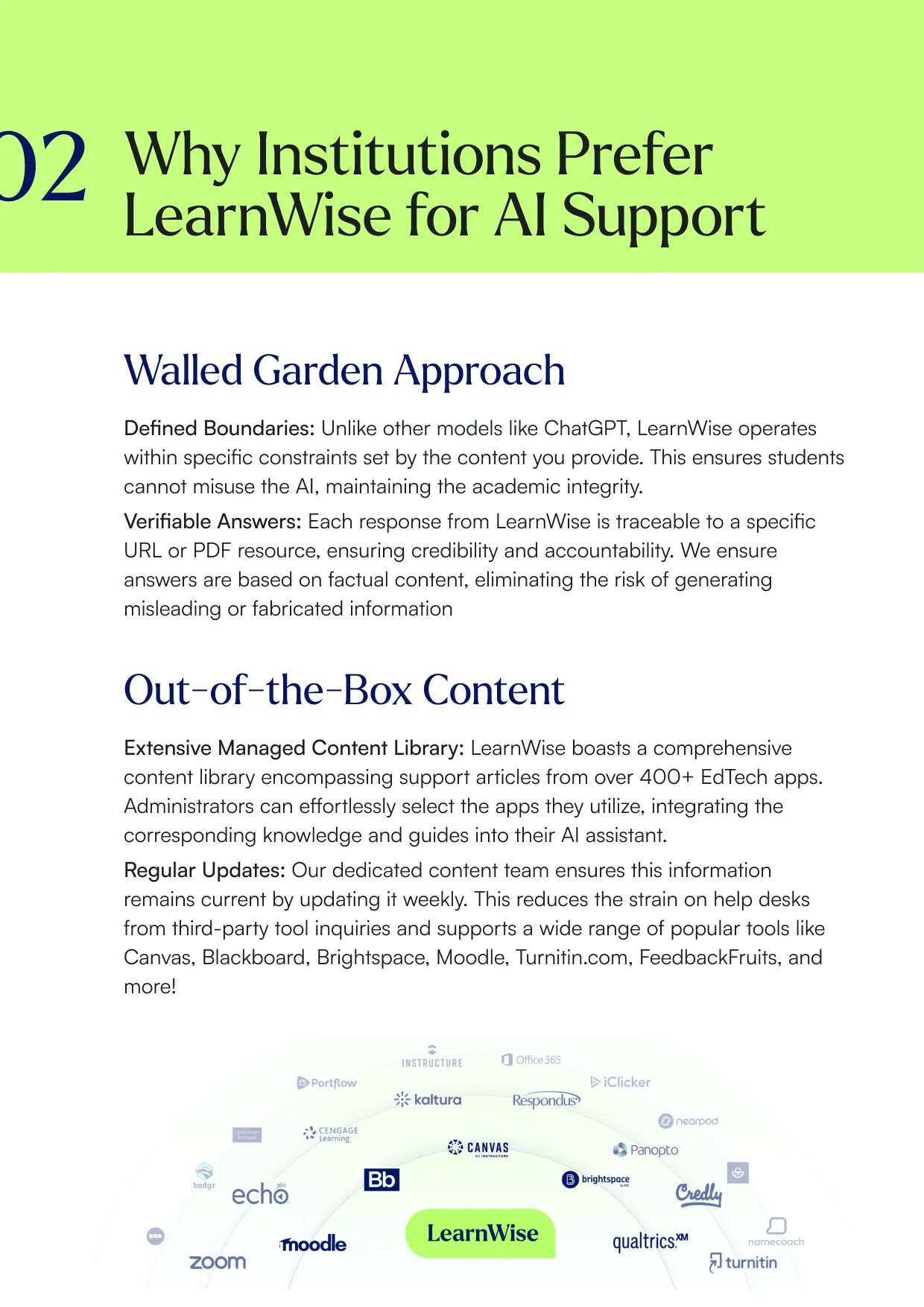
- Knowledge boundary controls: what content is the AI allowed to draw from, and who can update it?
- Escalation configuration: what happens when the AI cannot answer, and where does the query go?
- Analytics access: what usage and quality data is available, and who has visibility of it?
Explore LearnWise for LMS administrators
How Should Academic Leaders Think About AI in Higher Education?
Provosts, program directors, deans, heads of teaching and learning, and vice-provosts for academic affairs are being asked to deliver on AI strategy at precisely the moment when the sector is still defining what good looks like. The pressure is real: institutions that are early and thoughtful in their AI adoption are building operational and competitive advantages that will be hard to close later. Institutions that wait for certainty may find themselves structurally behind.
Effective AI leadership does not require technical expertise. It requires clear thinking about outcomes, governance, and what the institution is actually trying to achieve, and those are leadership competencies.
The analytics and insight capabilities described here are available through the AI Ops Assistant. The student support and retention use cases connect to AI Campus Support.
What are academic leaders being asked to deliver, and why is AI now part of that answer?
The 2026 EDUCAUSE Horizon Report identifies declining enrollments as one of the top economic trends accelerating financial strain across higher education, a context in which operational AI shifts from a discretionary investment to a structural one. In light of this trend, Tthe pressures are consistent across institutions: more personalized learning experiences for larger and more diverse student cohorts; faster feedback cycles without increasing faculty workload; consistent, equitable student support regardless of when or where students seek it; operational efficiency in the face of budget constraints; and accountability for outcomes that regulators, governors, and students all measure.
AI addresses each of these, not abstractly but in measurable ways when deployed with clear intent. Institutions that have deployed governed AI support tools have seen 30 to 50% reductions in Tier-1 support volume. Institutions using AI feedback tools report faster turnaround without sacrificing feedback quality. The EDUCAUSE 2026 report found that 67% of higher education professionals see five or more significant opportunities in AI, including operational efficiency, improved student outcomes, and new forms of institutional intelligence that were previously impractical to obtain.
How can AI surface course quality signals, student risk patterns, and support demand data?
This is where AI provides the most direct value for leadership decision-making. Rather than waiting for end-of-term surveys or grade distributions to reveal problems, AI analytics give leaders a continuous signal from what is actually happening in their institution.
Course quality signals. When students repeatedly ask the same questions about a module, or when the AI cannot find strong answers from the knowledge base, it signals a content gap. LearnWise's knowledge gap identification analyzes student interactions against the existing knowledge base, identifies deficiencies, and suggests new article titles or article improvements. Beyond support queries, the AI Ops Assistant can flag courses with rubric-to-gradebook mismatches, empty modules, or content that has not been updated in more than two terms, giving program directors the quality intelligence they previously had to assemble manually. For a step-by-step look at how course quality audits work: Course QA audit and Identify course gaps early.
Student risk patterns. Patterns of disengagement, such as missed submissions, low discussion participation, or repeated help-seeking around a specific concept, appear in AI analytics before they appear in grade distributions. The AI Ops Assistant can surface students who are below threshold in two or more courses simultaneously, a cross-course at-risk view that no standard LMS report provides. See how this works in practice: Identify at-risk students in your courses and Identifying at-risk students across a program. Early identification means early intervention, which is particularly critical in the first six weeks of term that EDUCAUSE research consistently identifies as decisive for retention.
Use case: Identify course gaps and Enhance student enrollment.
Support demand data. Which questions are students asking most? Where are the peak demand periods? Which services are students struggling to find? AI analytics surfaces this data at scale from the full volume of student interactions, not a sample of support tickets. This gives support teams and academic leaders the information they need to allocate resources, update content, and address systemic friction before it becomes a satisfaction or retention issue.
Téléchargez l'étude


Download the whitepaper

How Are Instructional Designers Using AI to Build Better Courses?
The rise of faculty-facing AI tools has changed the instructional designer's position in a fundamental way. When faculty can generate a module outline or a set of quiz questions in minutes, the instructional designer's role shifts: not away from course design, but toward the layer of judgment, quality assurance, and pedagogical alignment that AI cannot reliably provide.
This is a good development for instructional designers who understand it. The volume of first-draft content available to them increases significantly. The value they add by reviewing, aligning, and improving that content becomes more visible, not less.
How can AI help with course structure, learning objective alignment, and accessibility?
Course structure and sequencing. AI can draft module structures, weekly pacing plans, and learning progression maps from a set of objectives. The draft gives the instructional designer a concrete starting point for discussion with faculty, much faster than working from a blank document.
Learning objective alignment. AI can check whether assessment tasks, activities, and content are coherently connected to stated outcomes. A useful prompt: "Here are the learning objectives for Module 3 and the assessment brief. Identify any misalignments and suggest adjustments."
Content generation at scale. AI can produce multiple versions of an explanation at different complexity levels, generate worked examples for abstract concepts, and create differentiated materials for cohorts with varying prior knowledge. The designer's role is to specify what is needed, review quality, and ensure alignment.
Accessibility. AI can rewrite materials for plain language, flag readability issues, and generate alternative-format summaries for students with different learning needs. LearnWise's AI Student Tutor supports multilingual delivery: students can query course materials in their preferred language, even when the source content is in another language, which is particularly valuable for institutions with international cohorts.
What prompt frameworks can instructional designers use for module outlines, activity sets, and assessment briefs?
AI tools in the LMS function as an effective course generator for the foundational work of instructional design, such as outlines, activity sets, rubrics, and assessment briefs, allowing instructional designers to spend less time producing first drafts and more time refining them for quality and alignment. Used as an LMS AI course generator, these tools can cut the time from brief to first draft from days to minutes, giving instructional designers the headroom to focus on the pedagogical decisions that actually require expertise.
Module outline from scratch:
"Create a four-week module outline on [topic] for undergraduate students with no prior knowledge. Each week should include: one learning objective, two to three core activities (including at least one collaborative activity), one formative assessment, and estimated student time on task."
Rubric generation:
"Create a four-criterion analytic rubric for a 2,000-word case study analysis. Criteria should reflect: quality of argument, use of evidence, application of theory, and written clarity. Four performance levels: distinction, merit, pass, fail."
Activity set generation:
"Generate five retrieval practice activities for a module on project risk management. Include: two multiple-choice questions, one short-answer scenario, one matching activity, and one reflective prompt. Align each to the following learning objectives: [list]."
Where do instructional designers add the most value when AI handles the first draft?
The instructional designer's judgment is most valuable at three points: deciding what the course structure should achieve before AI generates anything; reviewing AI output for accuracy, bias, and pedagogical soundness; and ensuring that the overall learning experience is coherent across modules, not just adequate at the individual activity level.
AI-generated content is fast but not infallible. It can produce plausible-sounding explanations that are technically inaccurate in specialist domains. It can generate assessments that test surface recall rather than deeper understanding. An experienced instructional designer catches these problems, and their value in doing so increases as the volume of AI-generated content grows. As EDUCAUSE's 2026 article AI and Course Design put it, AI can serve as a "quiet partner that amplifies what educators already do well" - but only when faculty and designers remain in control of pedagogical intent.
Explore how LearnWise supports teaching and learning teams
What Can AI Do for LMS Administrators in Higher Education?
LMS administrators sit at the intersection of every AI deployment decision. They understand the technical constraints, the governance requirements, the integration landscape, and the user behavior patterns that determine whether a tool gets adopted or ignored. They are also, in many institutions, the people being asked to manage an expanding portfolio of AI tools with no corresponding increase in resources. This section covers common questions about AI use for LMS administrators.
What is the difference between an AI powered LMS and AI bolted on top of an LMS?
An AI powered LMS, or more precisely, an LMS with AI embedded natively within it, is aware of course structure, user roles, and institutional policies. It operates within the grading workflow faculty already use, appears in the course space students are already in, and draws from knowledge the institution has already reviewed and approved. It does not require a behavior change to access, which is the single most important factor for adoption.
AI bolted on top requires users to leave the LMS, upload files to a separate tool, or manage an additional login. Even when the underlying capability is impressive, the friction of the extra step consistently reduces adoption and creates governance problems when usage is fragmented across uncontrolled tools.
The practical implication: when evaluating AI for the LMS, the question is not only "what can this tool do?" but "where does it appear in the workflow?" If the answer is "outside the LMS," adoption will be limited regardless of the model's capability. An AI LMS integration that sits inside existing workflows, such as grading, course navigation, and student support, is consistently where institutions see the strongest returns. For institutions comparing an AI powered LMS integration against standalone tools, the workflow placement question almost always determines adoption outcomes more than capability does.
What AI agents can do for LMS administrators: bulk actions, configuration, and course audits
The shift from AI assistant to AI agent changes the nature of LMS administration in a fundamental way. Rather than navigating menus and executing tasks manually, administrators can instruct an agent to complete workflows through a natural language prompt.
In practical terms:
Bulk actions and workflow automation
- "Set all spring term courses to unpublished"
- "Archive all courses from the 2023-24 academic year"
- "Update the submission deadline for Assignment 2 across all sections of COMP101"
- "Add Dr. Thompson as instructor to all 12 sections of BIOL 201 this term"
Guided task completion. The LMS becomes a place where administrators "ask and do" rather than "click and search." Multi-step configuration tasks that previously required navigating multiple menus can be initiated from a single instruction.
Course audits and quality checks. AI can review courses for missing required elements - syllabi, rubrics, accessibility settings - and flag non-compliance with institutional standards before term begins. It can surface patterns: which courses generate the most student support queries, where content gaps appear consistently, which modules students find most confusing based on help-seeking behavior. A full course QA audit that typically takes three to four hours manually can be completed in minutes, using the institution's own uploaded standards as the evaluation framework.
Audit trails. Every action taken by an AI agent should be logged. Administrators need to be able to see what the agent did, when, and at whose instruction, and that log needs to be auditable by IT leadership and risk committees.
How does AI integration work across Canvas, Brightspace, Moodle, and Blackboard?
Each major LMS has its own AI direction, and institutions running multiple platforms or evaluating AI platforms for higher education customized workflows need to understand what is native versus what requires integration. The answer matters for governance, adoption, and total cost of ownership.
Canvas. Canvas' AI capabilities cover rubric generation, module creation, due date adjustments within a single course, accessibility cleanup, discussion review, and announcement posting. LearnWise extends what Canvas already does well. Deploying via LTI, JavaScript, or API, LearnWise embeds AI Campus Support, AI Student Tutor, AI Feedback & Grader, and AI Ops Assistant directly inside the Canvas interface without requiring users to navigate elsewhere. LearnWise can act across multiple courses simultaneously, draw from SIS data and institutional knowledge sources beyond Canvas, and connect support, tutoring, and feedback analytics in a single governed layer. See how LearnWise works with Canvas.
Brightspace. D2L has a defined AI direction through its Lumi suite. LearnWise's partnership with D2L means integration is built specifically for how Brightspace is structured. Lumi Chat, Lumi Tutor, and Lumi Feedback are embedded directly in the Brightspace environment. LearnWise's AI Ops Assistant on Brightspace can additionally surface cross-section consistency data, identify at-risk students across multiple courses simultaneously, and run course QA audits against uploaded institutional standards. See the LearnWise Brightspace integration.
Moodle. Moodle's open architecture supports multiple integration pathways: LearnWise can be installed via the Moodle plugin directory, deployed via LTI, or connected through the API. Governance considerations are more significant here because the flexibility of Moodle's plugin ecosystem means administrators need to actively manage centralized provider control and prevent fragmented deployment. See how LearnWise works with Moodle.
Blackboard. Blackboard environments typically prioritize stability, scale, and enterprise governance. AI integration needs to meet those expectations rather than work around them. LearnWise deploys via LTI and platform integration, designed for Blackboard's governance requirements from the start. See the LearnWise Blackboard integration.
Why does multi-LMS capability change the value proposition for AI agents?
For institutions running more than one LMS, or managing a complex EdTech stack across departments, the limitation of native LMS AI tools is significant: they operate within their own platform and cannot see or act across others.
LearnWise's AI Ops Assistant is built for multi-LMS environments: it integrates with Canvas, Brightspace, Moodle, Blackboard, SharePoint, Microsoft Teams, Kaltura, ServiceNow, and other tools in the institution's ecosystem. Faculty and administrators interact with one agent that has visibility across the full stack, rather than managing separate AI tools for each platform. For institutions where different departments run different LMS environments, this is not a minor convenience. It is the difference between a fragmented AI experience and a governed, consistent one.
What integration requirements should administrators confirm before deploying AI in the LMS?
- SSO and role-based access control (RBAC): who can access the AI and what can they do?
- Audit logging: is every interaction recorded, and is that log exportable for compliance review?
- Knowledge boundary controls: what content is the AI allowed to draw from, and who can update it?
- Escalation configuration: what happens when the AI cannot answer, and where does the query go?
- Analytics access: what usage and quality data is available, and who has visibility of it?
Explore LearnWise for LMS administrators
How Should Academic Leaders Think About AI in Higher Education?
Provosts, program directors, deans, heads of teaching and learning, and vice-provosts for academic affairs are being asked to deliver on AI strategy at precisely the moment when the sector is still defining what good looks like. The pressure is real: institutions that are early and thoughtful in their AI adoption are building operational and competitive advantages that will be hard to close later. Institutions that wait for certainty may find themselves structurally behind.
Effective AI leadership does not require technical expertise. It requires clear thinking about outcomes, governance, and what the institution is actually trying to achieve, and those are leadership competencies.
What are academic leaders being asked to deliver, and why is AI now part of that answer?
The pressures are consistent across institutions: more personalized learning experiences for larger and more diverse student cohorts; faster feedback cycles without increasing faculty workload; consistent, equitable student support regardless of when or where students seek it; operational efficiency in the face of budget constraints; and accountability for outcomes that regulators, governors, and students all measure.
AI addresses each of these, not abstractly but in measurable ways when deployed with clear intent. Institutions that have deployed governed AI support tools have seen 30 to 50% reductions in Tier-1 support volume. Institutions using AI feedback tools report faster turnaround without sacrificing feedback quality. The EDUCAUSE 2026 report found that 67% of higher education professionals see five or more significant opportunities in AI, including operational efficiency, improved student outcomes, and new forms of institutional intelligence that were previously impractical to obtain.
How can AI surface course quality signals, student risk patterns, and support demand data?
This is where AI provides the most direct value for leadership decision-making. Rather than waiting for end-of-term surveys or grade distributions to reveal problems, AI analytics give leaders a continuous signal from what is actually happening in their institution.
Course quality signals. When students repeatedly ask the same questions about a module, or when the AI cannot find strong answers from the knowledge base, it signals a content gap. LearnWise's knowledge gap identification analyzes student interactions against the existing knowledge base, identifies deficiencies, and suggests new article titles or article improvements. Beyond support queries, the AI Ops Assistant can flag courses with rubric-to-gradebook mismatches, empty modules, or content that has not been updated in more than two terms, giving program directors the quality intelligence they previously had to assemble manually.
Student risk patterns. Patterns of disengagement, such as missed submissions, low discussion participation, or repeated help-seeking around a specific concept, appear in AI analytics before they appear in grade distributions. The AI Ops Assistant can surface students who are below threshold in two or more courses simultaneously, a cross-course at-risk view that no standard LMS report provides. Early identification means early intervention, which is particularly critical in the first six weeks of term that EDUCAUSE research consistently identifies as decisive for retention.
Support demand data. Which questions are students asking most? Where are the peak demand periods? Which services are students struggling to find? AI analytics surfaces this data at scale from the full volume of student interactions, not a sample of support tickets. This gives support teams and academic leaders the information they need to allocate resources, update content, and address systemic friction before it becomes a satisfaction or retention issue.
How does AI connect to the retention, completion, and satisfaction KPIs leaders report against?
Retention, first-year completion, student satisfaction, and faculty workload are the outcomes that matter most to governors, regulators, and prospective students. AI is not a silver bullet for any of them, but it is a lever that connects to each:
- Retention: proactive student support, embedded in the LMS, catches at-risk students earlier and reduces the friction that causes disengagement in the first weeks of term
- Completion: AI tutoring, available 24/7 and grounded in course content, supports students at the point of need rather than requiring them to wait for office hours or submit a ticket
- Satisfaction: students who get fast, accurate answers to their questions, whether about course content or institutional services, report higher satisfaction with their digital learning experience
- Faculty satisfaction: faculty who spend less time on repetitive feedback drafting and routine administrative tasks have more capacity for the meaningful teaching and student interaction that drew them to the profession
Is it too late for institutions that are behind on AI adoption?
One of the most common responses from institutions that have not yet deployed AI is that they are too far behind to start meaningfully. This concern is understandable but largely unfounded.
AI deployment does not require an institution to have solved every governance question before it begins. It requires starting with a manageable scope, such as one use case, one department, one problem, and building from a foundation that is already working. Institutions that start with student support can establish governance, measure impact, and build internal confidence before expanding to tutoring or feedback workflows.
The institutions that are genuinely behind are those that have not yet established the governance infrastructure that will be required to scale. That is the gap worth closing now, not through broad AI deployment, but through clear policy, role-based access controls, and a defined accountability structure. With that foundation in place, AI deployment becomes a series of manageable decisions rather than an institutional risk.
Téléchargez le livre blanc
How does AI connect to the retention, completion, and satisfaction KPIs leaders report against?
Retention, first-year completion, student satisfaction, and faculty workload are the outcomes that matter most to governors, regulators, and prospective students. AI is not a silver bullet for any of them, but it is a lever that connects to each:
- Retention: proactive student support, embedded in the LMS, catches at-risk students earlier and reduces the friction that causes disengagement in the first weeks of term
- Completion: AI tutoring, available 24/7 and grounded in course content, supports students at the point of need rather than requiring them to wait for office hours or submit a ticket
- Satisfaction: students who get fast, accurate answers to their questions, whether about course content or institutional services, report higher satisfaction with their digital learning experience
- Faculty satisfaction: faculty who spend less time on repetitive feedback drafting and routine administrative tasks have more capacity for the meaningful teaching and student interaction that drew them to the profession
Is it too late for institutions that are behind on AI adoption?
One of the most common responses from institutions that have not yet deployed AI is that they are too far behind to start meaningfully. This concern is understandable but largely unfounded.
AI deployment does not require an institution to have solved every governance question before it begins. It requires starting with a manageable scope, such as one use case, one department, one problem, and building from a foundation that is already working. Institutions that start with student support can establish governance, measure impact, and build internal confidence before expanding to tutoring or feedback workflows.
The institutions that are genuinely behind are those that have not yet established the governance infrastructure that will be required to scale. That is the gap worth closing now, not through broad AI deployment, but through clear policy, role-based access controls, and a defined accountability structure. With that foundation in place, AI deployment becomes a series of manageable decisions rather than an institutional risk.
See how LearnWise supports higher education leadership
How Should Institutions Govern AI Use in Higher Education?
The most common governance mistake institutions make is treating it as a gate: something that must be completely resolved before anything can be deployed. The second most common is treating it as an afterthought: something to address once the tool is already in use. We believe governance is most effective when it is designed alongside deployment, not before or after it.
Why does AI governance in higher education need to come before scale, not after?
Institutions that try to "start easy and govern later" typically discover two problems: they cannot explain to auditors or risk committees how the AI makes decisions or what data it uses, and they cannot consistently enforce policy when usage has already spread across departments without standards. These are not theoretical risks. They are the practical consequences of deploying AI without a governance foundation.
The EDUCAUSE 2026 report makes this tension visible: while 94% of higher education workers use AI tools, only 54% are aware of their institution's AI use policies. That gap is not just a communication problem. It is a governance architecture problem. Policy that is not technically enforced is not really policy. AI governance and trust is one of the key signals of change for the sector, while notingthat growing distrust in AI detection tools, increasing regulatory scrutiny, and uneven institutional policy coverage are creating a governance gap that institutions need to close proactively, not reactively.
The governance foundation does not need to be comprehensive before the first deployment. It needs to be sufficient for the scope of that deployment, and designed with scaling in mind, so that as more use cases are added, the governance structure grows without being rebuilt from scratch. For a deeper look at what responsible AI governance looks like in practice beyond policy documents, see Responsible AI in Practice: What Governance Looks Like Beyond the Policy.
Institutions that operationalize responsible AI, with technical controls built in from the start, see higher staff confidence, stronger adoption, and significantly lower risk as AI use expands. The ideal outcome: an AI environment where anyone, from faculty, students, auditors, to department heads, can ask "how does this tool make decisions and what data does it use?" and get a clear, verifiable answer.
What is the minimum viable governance stack for AI in higher education?
These are the controls that should be in place before any AI tool is deployed at institutional scale:
Role-based access control (RBAC). Define what each user role can do with the AI: view responses, interact, customize prompts, override outputs. RBAC should be technically enforced, not just policy-stated.
Audit logs. Every interaction: what was asked, by whom, when, and what the AI responded, should be logged within your institution's compliance constraints. Logs should be exportable for review.
Knowledge boundaries. Define what content the AI is allowed to draw from. For student support tools, this means institution-approved knowledge bases, not the open web. For AI solutions like faculty ops agents, this means course materials and institutional policies, not general model knowledge. LearnWise's walled-garden approach ensures every response is traceable to a specific source document, whether a URL or PDF, that the institution controls.
Prompt and configuration transparency. Who can change how the AI behaves, and how is that tracked? Configuration changes should be logged and attributed.
Escalation rules. Define when the AI should indicate it cannot answer, and where the query should go next. This is not optional. It is what makes AI support trustworthy, because students and faculty know the system will tell them when it does not know something rather than generating a plausible but incorrect response.
How do you build an AI acceptable use policy that faculty will actually follow?
An acceptable use policy fails when it is vague, comprehensive to the point of being unusable, or disconnected from how faculty actually work. It succeeds when it is specific, context-appropriate, and supported by technical controls rather than relying solely on individual compliance.
Practical guidance for a workable policy:
- Define what is and is not permitted for each user group separately. Faculty, students, and support staff have different contexts and different risk profiles.
- Set a review cadence of six months. AI capability and institutional practice both change faster than annual policy cycles can accommodate.
- Involve faculty and staff in development. Buy-in comes from co-creation, not distribution.
- Back the policy with technical guardrails - RBAC, audit logs, knowledge boundaries - so compliance is structurally enforced, not dependent on individual goodwill.
- What is the difference between institutional AI governance and individual acceptable use?These operate at different levels and need different instruments.
What is the difference between institutional AI governance and individual acceptable use?
These operate at different levels and need different instruments.
Institutional AI governance sets the overall rules, guardrails, and oversight structure for AI use across the institution. It includes policy ownership, cross-functional governance structures covering IT, academic leadership, legal, and student services, public-facing AI strategy statements, and system-level controls covering data boundaries, access, and compliance.
Individual acceptable use defines what faculty, students, and staff can and cannot do with specific AI tools in specific contexts. It is context-dependent: the rules for AI use in assessment are different from the rules for AI use in course preparation, and it must be specific enough to be actionable day-to-day.
Both levels are necessary. Institutional governance provides alignment and risk management. Individual policies provide the operational clarity that determines whether people actually use AI in ways the institution has sanctioned.
What questions should procurement ask when evaluating AI vendors on governance?
- Does the tool support SSO and RBAC?
- Are audit logs available and accessible to administrators?
- Can you control what knowledge or content the AI draws from?
- Who can change prompts or configuration, and how is that tracked?
- What are the escalation rules for queries the AI cannot handle?
- Is there a clear admin interface for ongoing governance?
- Can the vendor explain, in plain language, how the AI makes decisions and what data it uses?
If a vendor cannot answer these questions clearly, that is a governance signal, regardless of how impressive the demo is.
What should institutions ask their IT team, vendors, and faculty before committing to AI deployment?
- Can you explain, in plain language, where the AI's answers come from and what it is not allowed to say?
- Is the tool embedded in the workflows people already use, or does it require a behavior change to access?
- What does the governance admin interface look like, and who owns it?
- What metrics will you use to evaluate whether it is working in six months?
Visit the LearnWise Trust and Safety Hub
How Do Institutions Get Started with AI: A Practical Path for Every Stage
Most institutions are not choosing between AI and no AI. They are choosing where to start, and how to avoid tool sprawl. The right starting point depends on where your institution currently is.
Where should early-stage institutions pilot AI with the lowest risk and fastest feedback?
The lowest-risk, highest-feedback starting point for most institutions is AI-powered student support, embedded in the LMS. The reasons are practical:
- The use case is clear and measurable: ticket volume, resolution time, student satisfaction
- The governance requirement is manageable: institution-controlled knowledge base, role-based access, escalation rules
- The adoption barrier is low: students are already in the LMS; the AI appears where they already are
- The feedback loop is fast: you can see what students are asking, where the AI is not finding answers, and what to improve within the first term
From this foundation, a working, trusted, governed support layer, expanding to tutoring or feedback workflows is a much smaller step.
Use cases: Reduce student support costs · Improve induction experience · Support international students · Simplify financial aid navigation
First 90 days checklist
- Define the knowledge base: what content will the AI draw from?
- Configure role-based access: who can access the AI and in what capacity?
- Set escalation rules: what happens when the AI cannot answer?
- Establish baseline metrics: current ticket volume, resolution time, and student satisfaction score
- Plan a 30-day review: what is the AI handling well, and where are the gaps?
How do mid-adoption institutions consolidate AI tools and add governance?
Institutions that have deployed AI tools in one or more departments often face the same challenge: the tools are working locally but not consistently, governance is fragmented across departments, and the analytics picture is incomplete because each tool has its own reporting.
The priority at this stage is consolidation without disruption. That means:
- Conducting an audit of what AI tools are currently in use, by whom, and under what governance framework
- Identifying the tools that have demonstrated impact and are worth standardizing around
- Building shared governance infrastructure: common RBAC structure, unified audit logging, institution-wide knowledge boundary policy that can sit across multiple tools
- Establishing a standard intake pathway for new AI tool requests, so future additions are evaluated consistently rather than department by department
This is also the stage where analytics become strategic. A unified view of student support demand, tutoring engagement, and feedback workflow adoption across departments gives leadership the data to make informed decisions about where to invest next.
What does an AI faculty agent layer add for institutions that are ready to scale?
Institutions that have established governed AI support and tutoring capabilities and are now looking at the next layer of AI deployment should consider the AI faculty agent as the expansion that unlocks the most significant time savings for the highest-value users.
The faculty agent operates at the workflow and agent tier. It can take actions, not just draft outputs. It connects across the full LMS stack. It gives academic leaders the visibility they need: course quality signals, student risk patterns, support demand trends, and gives faculty the workflow acceleration that genuinely changes how much time they spend on high-value teaching versus administrative tasks.
The prerequisite for this expansion is the governance infrastructure that earlier stages should have established: RBAC, audit logging, knowledge boundaries, and escalation protocols. With that in place, agent deployment is a manageable extension of existing practice, not a new governance challenge.
Use case: Identify at-risk students in your courses.
What does good AI implementation in higher education look like at 6 months, 12 months, and beyond?
At 6 months: the first use case is demonstrably working. You can show ticket deflection rates, feedback turnaround times, or student engagement metrics that justify the investment. Governance is functioning and understood by the people using the tools. You have identified the next use case.
At 12 months: AI is embedded in at least two institutional workflows, with consistent governance across both. Faculty and support staff are using the tools without significant friction. Leadership has analytics visibility into AI performance. The institution has an AI policy that is actively maintained rather than static.
Beyond 12 months: AI is part of the institution's operational infrastructure, rather than a standalone project. At this stage, AI is a managed capability that is governed, measured, and continually improved. New use cases go through a standard evaluation pathway. The institution can explain its AI approach clearly to students, staff, regulators, and partner institutions.
Book a demo to discuss your institution's AI roadmap
Effective AI Use Is a Practice, Not a Product Decision
The institutions using AI most effectively in 2026 are not necessarily the ones with the biggest budgets or the most tools. They are the ones that started with a specific problem, chose a deployment model they could govern, and built from there.
What distinguishes them is not the sophistication of their AI. It is the clarity of their intent. They know what they are trying to achieve. They know how they will measure it. They know who is responsible for maintaining the tools, updating the knowledge, and catching the errors that any AI system will occasionally produce.
That clarity is available to every institution, regardless of size, LMS, or current stage of adoption. It does not require resolving every governance question before beginning. It requires beginning with a scope that is manageable, building trust from evidence, and expanding from a foundation that is already working.
The shift from doing more to doing differently - from managing the same constraints more efficiently to genuinely changing what faculty and students can access - is where effective AI use in higher education ultimately lives. That shift is available now. The question is where your institution chooses to start.
You might also like:
- AI in the LMS: How It Works in Canvas, Moodle, Brightspace & Blackboard
- The State of AI Support in Higher Education: What 100,000 Conversations Reveal
- The Question Isn't Whether Your Institution Uses AI. It's Whether You're Shaping How.
- Reduce Student Support Costs with AI Assistance
- Solutions for Higher Education Leadership
- Responsible AI in Practice: What Governance Looks Like Beyond the Policy

.svg)





.webp)
%20(1).webp)
%20(1).webp)